⚠️ Danger Zone Marking

Safety Blends for Sharp Blade Tips

Overview

The Danger Zone Marking feature automatically detects and addresses potentially hazardous sharp edges on fixture blades. Sharp blade tips can cause injury during handling and should be either clearly marked or removed.

⚠️ Safety First

Sharp blade edges are a common cause of cuts and injuries in manufacturing environments. This feature helps identify and mitigate these hazards automatically.

Feature Description Status
Detection Identifies sharp external corners on thin blade faces DONE
Marking Colors dangerous edges red for visibility DONE
Blending Applies safety radius to remove sharp tips DONE

How It Works

Step 1: The Hazard

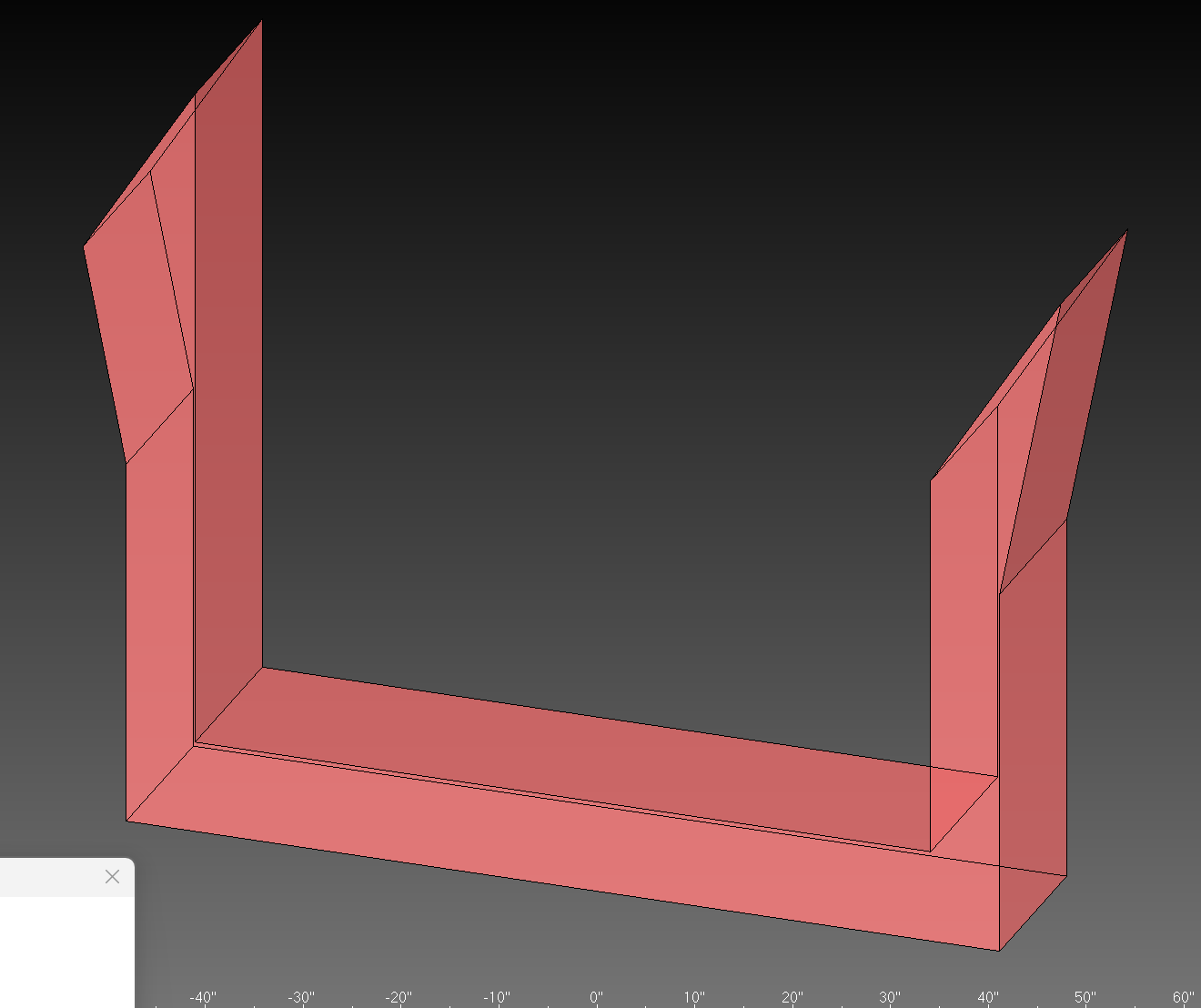
Sharp blade edges - potential hazard

Fixture blades often have sharp pointed tips where two thin faces meet at an acute angle. These edges present a cutting hazard to operators who handle the fixtures during setup, adjustment, or maintenance.

Step 2: Identification

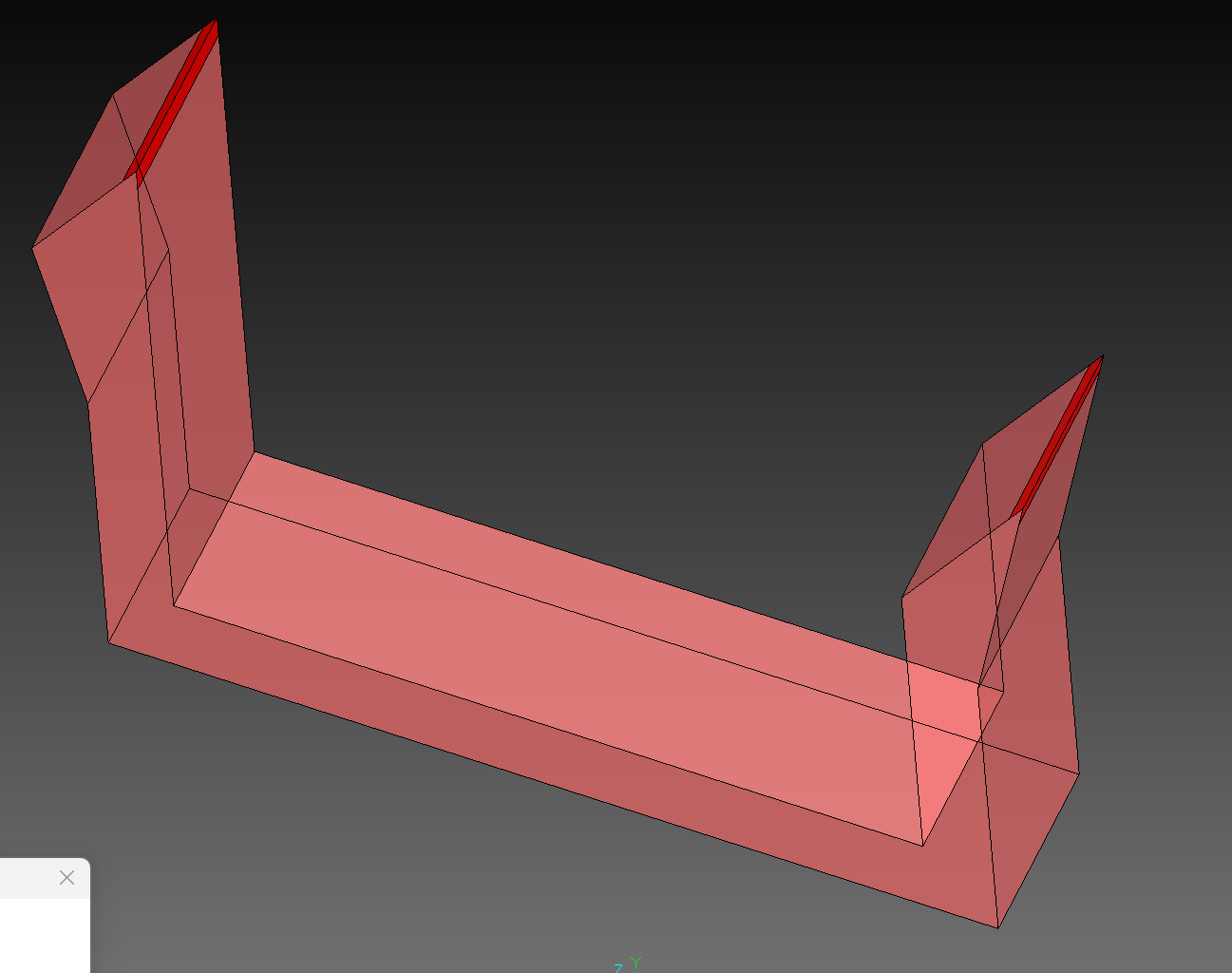
Dangerous edges identified with red marking

The system automatically analyzes blade geometry to detect dangerous edges. Sharp external corners on thin material (where face normals point away from each other at a steep angle) are identified and marked with bright red highlighting to alert operators to the hazard.

Step 3: Mitigation (Optional)

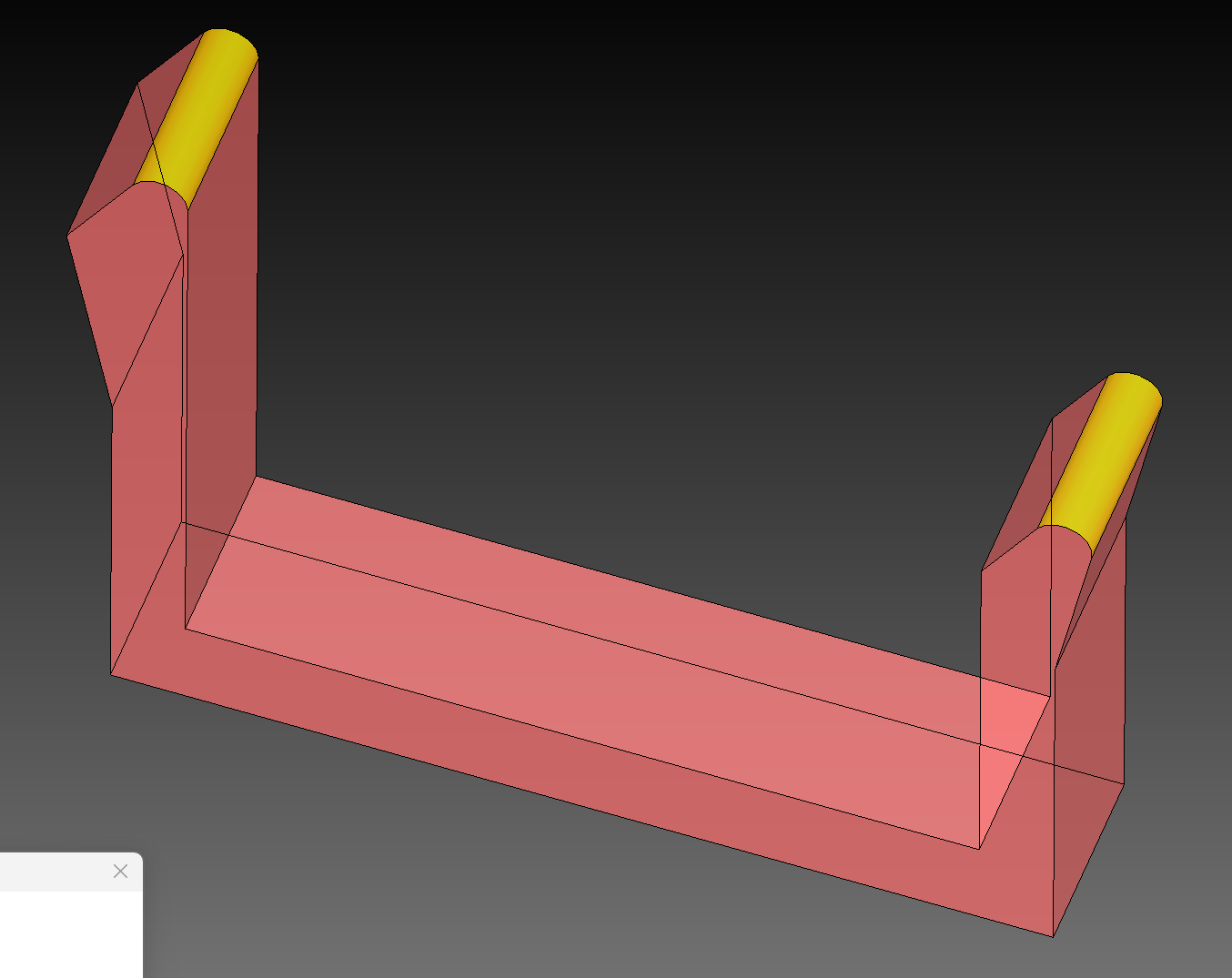
Edges blended to remove hazard

When blending is enabled, the system applies a constant-radius blend to the dangerous edges, replacing the sharp point with a smooth rounded surface. The blended areas are highlighted in yellow to indicate where the safety modification has been applied.

Configuration

The danger zone marking feature is controlled through JSON configuration parameters:

Parameter Type Description
dangerZone.enabled Boolean Master switch to enable/disable danger zone detection
dangerZone.distance Number (mm) The blend radius applied to dangerous edges
dangerZone.angle Number (degrees) Angle threshold for detecting dangerous edges (default: 45Β°)
dangerZone.blend Boolean When enabled, applies blend to remove sharp edges. When disabled, only marks the hazard.
thickness Number (mm) Material thickness threshold - only edges on thin faces are considered

πŸ’‘ Tip

If blending fails on complex geometry, the system will automatically fall back to visual marking only. Check the debug output for details.

Detection Algorithm

The system identifies dangerous edges through the following process:

Algorithm Steps

  1. Face Analysis: Examines all planar faces on the blade body and identifies "thin" faces based on their shortest edge length
  2. Edge Mapping: Builds a map of all edges and their adjacent faces
  3. Angle Calculation: For edges between two thin faces, calculates the angle between face normals
  4. Danger Detection: Edges where faces point away from each other (external/convex corners) at angles exceeding the threshold are flagged as dangerous
  5. Blend Application: If enabled, captures faces before/after blend to identify new surfaces
  6. Face Coloring: New blend faces are colored red and labeled "Safety Blend!"

πŸ“ Angle Detection Logic

EXTERNAL vs INTERNAL CORNERS EXTERNAL (Dangerous): INTERNAL (Safe): Face normals point AWAY Face normals point TOWARD β†— β†˜ ↙ / ←normal \ / / V /_____ ____/\____ \ / \ ←normal / β†˜ Angle between normals β‰₯ 135Β° Angle between normals < 135Β° (faces nearly opposite) (faces facing similar direction)

Technical Notes

Implementation Details

AspectDetail
Corner TypeOnly external (convex) corners are marked - internal corners are not hazardous
Material CheckOnly edges on thin material are considered - thick sections are less likely to cause cuts
Blend CommandUses Parasolid's sld ble con (constant radius edge blend)
Face DetectionBefore/after face comparison identifies new blend surfaces
LabelingBlended faces labeled with translatable description "Safety Blend!"

⚠️ Important: sld ble fac vs sld ble con

sld ble fac (face-to-face blend) requires interactive mode and cannot be used in macros. Use sld ble con (constant radius edge blend) for programmatic blending.

πŸ“¦ Files

fxDangerZoneMarking.ovm - Main danger zone detection and blending macro

  • βœ“ Face analysis and thin-face detection
  • βœ“ Edge-to-face mapping
  • βœ“ External corner angle detection
  • βœ“ Constant radius edge blending
  • βœ“ New face identification and coloring
  • βœ“ Translatable description labeling